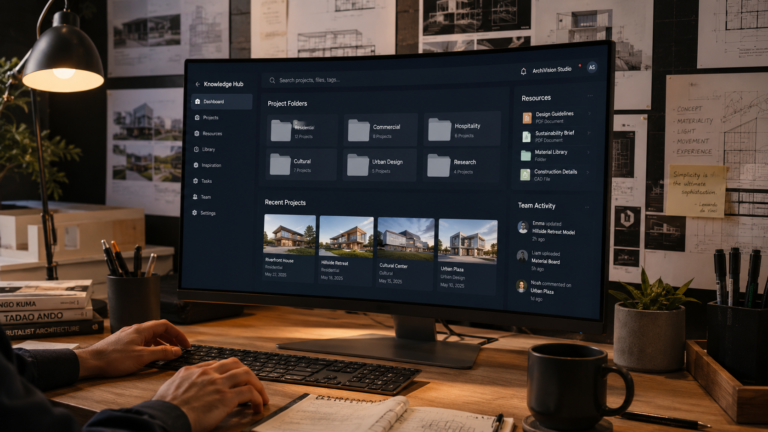
Ultimate Architecture Workflow Toolkit
– Systems Every Architect Should Build
Who Is This Guide For?
This toolkit is built for anyone responsible for organizing architectural work, from a first design studio assignment to running a multi-person practice.
◧
Architecture Students
Build organized habits early so research, sketches and studio work never get lost across semesters.
▣
Early-Career Architects
Set up reusable systems before client workload grows, so disorganization never becomes the norm.
◫
Solo Practitioners
Run research, design, documentation and publishing alone without dropping any of the six layers.
▢
Studio Leaders & Principals
Create shared systems your whole team can follow, so quality does not depend on one person’s memory.
Quick Navigation
Jump to the part of the toolkit most relevant to where your workflow needs the most attention right now.
| ① Sections 1–3 Why systems matter, plus how to build capture and research systems that hold up over years. | ② Sections 4–6 Design workflow structure, documentation systems and where AI genuinely helps architects. |
| ③ Sections 7–9 Communication systems, publishing workflows and the most common mistakes to avoid. | ④ Section 10 + Plan Your personal operating system, a 30-day action plan and downloadable workflow templates. |
1. Why Architects Need Systems
Most architects do not lose time because they lack talent. They lose time because they lack a system. A typical week mixes client calls, site visits, code research, drawing revisions and software updates. Without a structure to hold all of this together, even skilled designers spend hours each week just trying to remember where things are.
An architecture workflow toolkit is the set of repeatable systems that organizes this work. It is not a single app or a single habit. It is a connected structure for capturing information, researching codes, managing design files, documenting decisions and publishing your work. When this structure exists, your best thinking goes into design, not into searching for a file you saved three months ago.
1.1 The Hidden Cost of Disorganized Work
A 2023 KPMG global construction survey found that project teams using digital collaboration tools reported notably fewer rework cycles than teams relying on scattered emails and manual file transfers. Rework is rarely caused by bad design. It is caused by information that existed somewhere but was not findable when it mattered.
For an individual architect or small studio, this shows up as small leaks: re-drawing a detail because the original file is buried in an old folder, re-reading a code clause because the note from last time is lost, or repeating a client conversation because no one wrote down the decision. Each leak feels minor. Across a year, they add up to weeks of lost capacity.
💡CALLOUT — Why this matters
Disorganization is not a personality trait. It is a missing system. Fixing the system fixes the symptom.
1.2 Systems vs. Willpower
Many architects try to fix disorganization with motivation: “I will be more organized this month.” This rarely works, because willpower is a limited resource and project pressure is not. A system removes the need for willpower by making the organized path the default path. If your file-naming convention is automatic, you do not have to decide how to name a file every time. If your research notes always go to one place, you do not have to remember where you put them.
This is the same principle used in well-run architecture firms of any size, from a one-person practice in Bangalore to a 200-person studio in Singapore. The firms that scale smoothly are rarely the ones with the most talented individuals. They are the ones with the clearest systems for capturing, organizing and retrieving information.
1.3 What a Complete Workflow System Includes
A complete architecture workflow system covers six connected layers: information capture, research, design process, documentation, communication and publishing. Most architects build one or two of these well, usually design process and documentation, because client deadlines force it. The layers that get skipped are capture, research and publishing, which is exactly why ideas get lost and good work never reaches a wider audience.
- Capture — where new ideas, references and notes go the moment they appear
- Research — how building codes, climate data and precedents get organized
- Design process — how concepts move from sketch to working drawing
- Documentation — how decisions, drawings and revisions get recorded
- Communication — how information flows to clients, consultants and contractors
- Publishing — how finished work becomes a case study, portfolio entry or article
✅ TIP — Start small
Do not try to build all six layers in one weekend. Pick the layer causing you the most pain right now and fix that first.
1.4 Climate and Context Still Matter to Your Systems
Workflow systems are not one-size-fits-all once you bring in real project conditions. An architect working in hot-humid Chennai or Singapore needs a research system that tracks monsoon detailing and ventilation precedents. An architect in a cold climate city like Toronto or Helsinki needs fast access to insulation and thermal bridging data. The system structure stays the same across geographies. The content inside each folder changes with climate, code and culture.
⚠️ WARNING — Common mistake
Copying someone else’s exact folder structure or app stack rarely works long term. Build your system around how you actually think and work, then refine it.
2. Information Capture Systems
Capture is the entry point for everything else in your workflow. Every reference image, code clause, client comment and half-formed idea needs one obvious place to land. If capture is inconsistent, every later system, research, design, documentation, inherits that inconsistency.
2.1 The One-Inbox Principle
The simplest fix for scattered notes is to reduce your capture points to as few as possible, ideally one. Instead of jotting ideas in five different apps, a notebook and your phone’s default notes app, route everything into a single trusted inbox. This could be a note-taking app, a dedicated folder, or even a physical notebook you always carry, as long as it is the same one every time.
The goal is not perfection. It is consistency. A single inbox you check and clear weekly beats five well-organized systems you forget to check.
✅ TIP — Quick win
If you only change one thing this week, reduce your note-taking apps to one. Fewer inboxes means fewer places information can disappear.
2.2 Capturing Visual References
Architecture is a visual discipline, so capture systems need to handle images as well as text. Site photos, material samples, precedent images and sketches all need a home that is searchable later. Tools like Pinterest boards, Milanote or a structured folder system on cloud storage all work, the key requirement is tagging by project and theme so a photo taken in 2024 is still findable in 2026.
⚠️ WARNING — Watch out
Saving an image without a tag or project name is almost the same as not saving it. Untagged files pile up and become unsearchable within months.
2.3 Capturing Client and Site Information
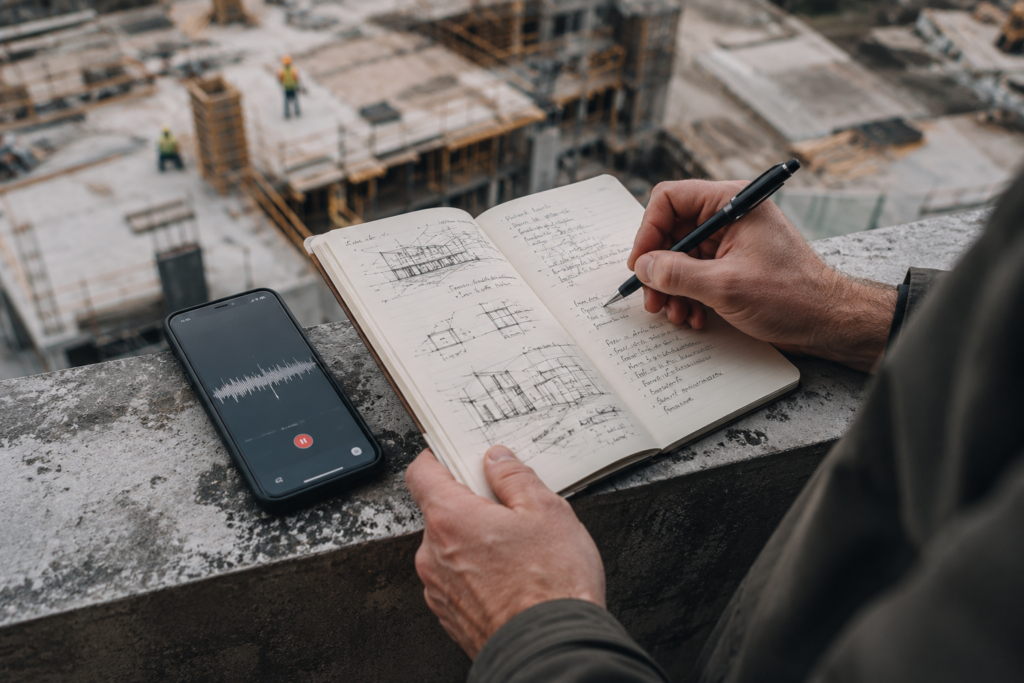
Client conversations and site observations are some of the most valuable and most frequently lost information in architecture practice. A quick voice note recorded right after a site visit, transcribed later, captures details that would otherwise be forgotten by the time you reach your desk. The same applies to client meetings: a two-minute summary written immediately after the call is far more accurate than a memory reconstructed two days later.
- Voice memos for site visits, transcribed within 24 hours
- A standard meeting-notes template for client calls
- A dated photo log for every site visit, even routine ones
- A single tag or folder per active project for fast retrieval
💡 CALLOUT — Real-world pattern
Architecture studios that maintain a ‘project memory’ through consistent meeting notes report fewer disputes about what was agreed during design development.
2.4 Weekly Capture Review
Capturing information is only half the system. The other half is reviewing it. Without a regular review, your inbox becomes a graveyard of forgotten notes. A 15-minute weekly review, every Friday afternoon works well for most architects, where you sort captured items into the right project folder or research system, closes the loop and keeps the inbox usable.
3. Research Systems
Architecture research never stops. Building codes update, materials evolve, and climate data needs revisiting on every project. Without a research system, architects either re-research the same questions repeatedly or rely on outdated information from memory. A research system turns one-time research into a reusable asset.
3.1 Building a Personal Code Library
Every architect develops a working relationship with specific codes and standards relevant to their region and typical project types. Instead of searching from scratch each time, build a personal reference library organized by topic: fire egress, accessibility, structural clearances, ventilation requirements. Store direct links to official code sources alongside your own plain-language summary, since codes are revised periodically and only the official source stays current.
💡 CALLOUT — Why this matters
Architects who keep a personal, organized code library report spending far less time re-searching the same regulations project after project.
3.2 Climate-Specific Research Folders
Climate-responsive design depends on having the right reference data on hand. An architect designing in hot-dry Phoenix or Dubai needs different precedent research than one designing in hot-humid Mumbai or Ho Chi Minh City, and both differ from someone designing in temperate London or cold-climate Oslo. Organizing research folders by climate zone, rather than only by project, lets you reuse hard-won research across multiple projects in similar conditions.
- Hot-dry climates: thermal mass, shading depth, courtyard ventilation
- Hot-humid climates: cross-ventilation, moisture control, raised foundations
- Temperate climates: solar orientation, seasonal shading, mixed-mode ventilation
- Cold climates: insulation values, thermal bridging, snow load detailing
3.3 Precedent Study Templates
A precedent study is only useful later if it follows a consistent format. Build a simple template, project name, location, climate zone, key strategy, what worked, what you would change, and fill it in every time you study a built project. Over a few years this becomes a personal case-study library that is faster to search than any external database, because it is filtered through your own judgment.
⚠️ WARNING — Critical caution
Never copy AI-generated code interpretations directly into construction documents without verifying against the official, current code text. Codes change, and AI knowledge can be outdated.
3.4 Using AI Tools to Speed Up Research
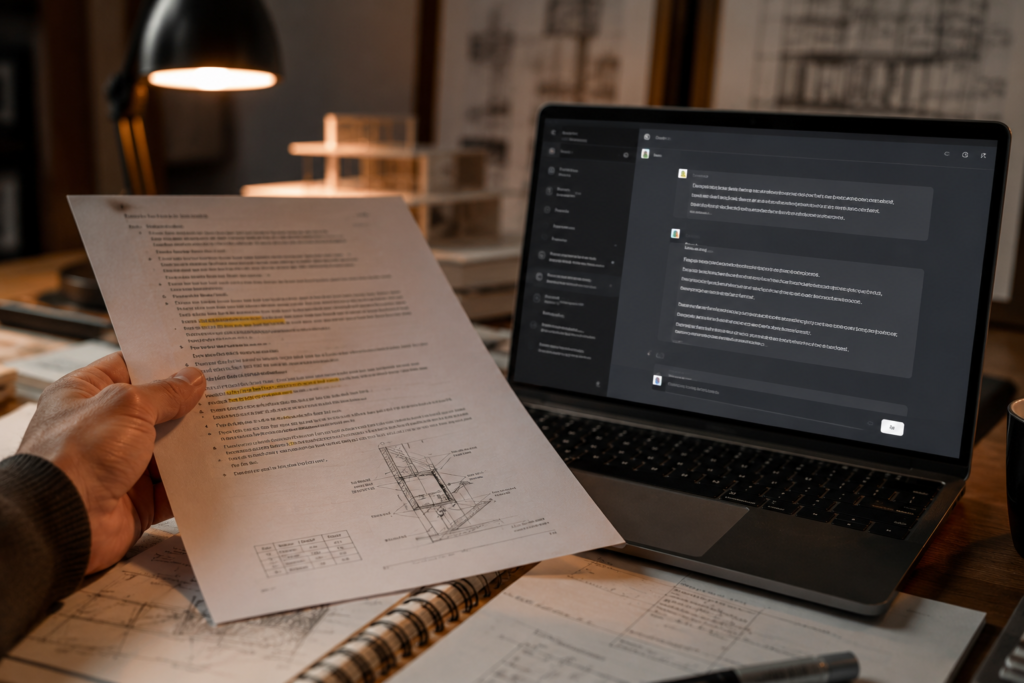
AI research tools can summarize long code documents, compare standards across regions, or generate a first-pass literature scan for a design strategy. They are fast, but they are not a replacement for verifying against the original code text, especially for anything related to structural safety, fire egress or accessibility. Treat AI research output as a draft that always gets checked against the primary source before it goes into a drawing set.
✅ TIP — Pro tip
Tag research by climate zone and topic, not just by project name. One well-tagged ventilation study can serve five future projects in similar climates.
3.5 Organizing Research for Reuse
The final step that most architects skip is tagging research for future reuse. A folder named “Project_Research_Final” is far less useful than tags like climate:hot-humid, topic:ventilation, code:fire-egress. Tags let one piece of research surface across multiple unrelated projects, which is where the real time savings of a research system appear.
4. Design Workflow Systems
Design work moves through predictable stages: concept, schematic design, design development and construction documentation. Each stage has a different pace and a different risk if information is lost. A design workflow system gives every stage a clear home for files, versions and decisions, so the design process itself becomes repeatable rather than chaotic.
4.1 Stage-Based File Structures
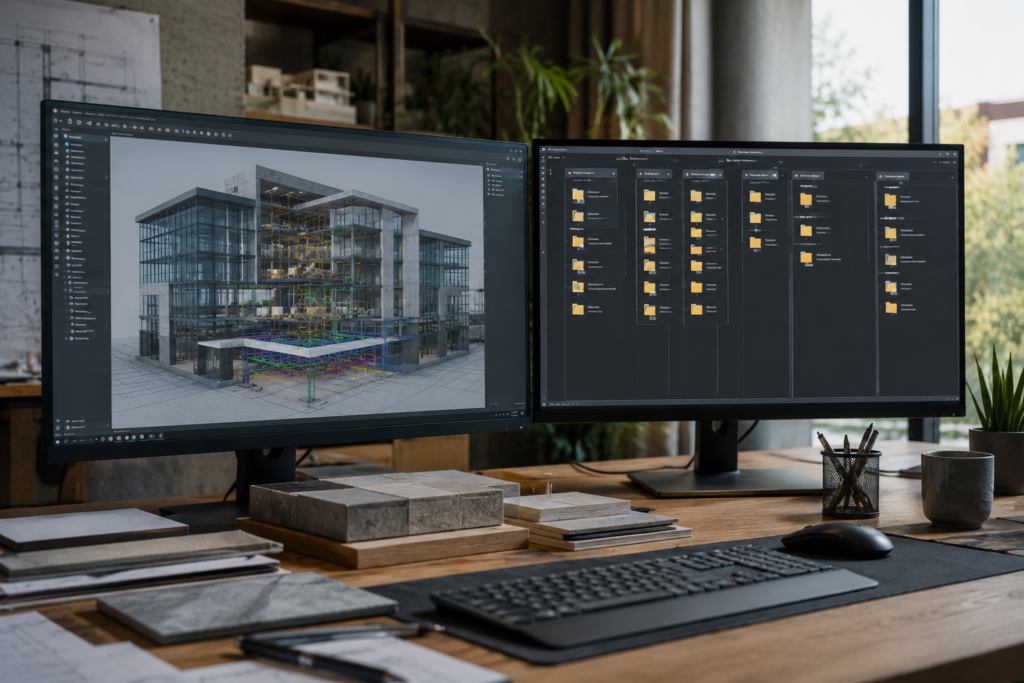
Set up your project folders to mirror the design stages themselves: 01_Concept, 02_Schematic, 03_DesignDevelopment, 04_ConstructionDocs, 05_Admin. This is a small change with a large effect, because anyone on the team, including you in six months, can find the latest version of any drawing without asking. Avoid generic folders like “New Folder” or “Latest,” which become meaningless within weeks.
✅ TIP — Quick win
Create one template folder structure now and duplicate it for every new project. Five minutes of setup saves hours of searching later.
4.2 Version Control Without Confusion
Architecture files multiply fast: a single floor plan can have a dozen named versions by the time a project is built. A simple naming convention, ProjectName_DrawingType_Date_Version, removes the guesswork. Pair this with a habit of archiving superseded versions into a clearly labeled “Old Versions” subfolder instead of deleting them, since you will occasionally need to reference an earlier design decision.
- Use ISO date format (YYYY-MM-DD) in filenames so they sort chronologically
- Never overwrite a file without renaming the previous version first
- Keep one “current” file per drawing type, clearly marked
- Archive, do not delete, superseded design iterations
⚠️ WARNING — Watch out
Generic file names like ‘Plan_Final2’ are a common source of costly construction errors when the wrong version reaches the site.
4.3 Digital Sketching and Concept Tools
The earliest design stage benefits from tools that keep pace with fast thinking: digital sketching apps, parametric massing tools, or simple 3D blocking software. The specific tool matters less than having one default starting point so concept work does not get fragmented across five different programs depending on which one was open that day.
4.4 Connecting Design Software Across Stages
Many architecture teams lose time when concept sketches, BIM models and rendering software do not talk to each other cleanly. Where possible, choose a software stack with strong interoperability, for example, a BIM platform that exports cleanly to your rendering engine, so geometry does not need to be rebuilt at every stage. When full interoperability is not possible, document the manual hand-off steps so they are repeatable instead of reinvented each time.
💡 CALLOUT — Why this matters
A short decision log is one of the cheapest forms of risk management available to an architecture practice of any size.
4.5 Design Decision Logs
Every project accumulates dozens of small design decisions: why a window moved, why a material changed, why a ceiling height shifted. A simple decision log, one line per decision, with date and reason, takes seconds to maintain and saves hours when a client or consultant asks “why did we change this?” six months later.
5. Documentation Systems
Documentation is where design intent becomes a buildable, legally sound record. A weak documentation system creates ambiguity that contractors and consultants interpret in their own way, often at the project’s expense. A strong one protects the architect, the client and the building’s eventual occupants.
5.1 Drawing Set Organization
A consistent sheet numbering system, following a recognized standard such as the US National CAD Standard or an equivalent regional convention, makes drawing sets predictable for everyone who touches them: contractors, consultants and future architects who may work on renovations. Consistency across projects also means your own team spends less time relearning your system on every job.
💡 CALLOUT — Why this matters
Standardized sheet numbering reduces miscommunication on site, where misread drawings can cause expensive rework.
5.2 Specification Writing Systems
Specifications are easiest to keep accurate when they are built from a master template rather than written from scratch each time. Maintain a master specification document organized by trade, then copy and edit the relevant sections per project. This reduces the chance of forgetting a critical clause and keeps language consistent across your firm’s output.
✅ TIP — Pro tip
Build your specification master document once, then spend ten minutes per project editing it instead of starting from a blank page.
5.3 Recording Decisions and Approvals
Every formal approval, a client sign-off on a material, a consultant’s structural confirmation, needs a paper trail that is easy to retrieve. Email is acceptable as a record if it is filed immediately into the relevant project folder rather than left in a general inbox. For higher-stakes approvals, a simple signed approval form adds a layer of protection that an email thread alone does not provide.
- File approval emails into the project folder the same day they arrive
- Use a one-page approval form for major material or design changes
- Keep a running list of open items awaiting client or consultant sign-off
⚠️ WARNING — Critical caution
Verbal approvals with no written record offer no protection in a dispute. Always follow up a verbal yes with a written confirmation, even a short email.
5.4 Managing Revisions and As-Built Records
Construction rarely follows drawings exactly. A documentation system needs a clear process for capturing field changes and updating drawings to reflect what was actually built. Skipping this step is one of the most common causes of confusion during future renovations, when no one can tell which drawing reflects reality.
6. AI Workflow Integration
AI tools have moved from novelty to genuine productivity infrastructure for architecture practices. Used well, they compress hours of repetitive work, code summaries, drafting boilerplate text, generating early massing options, into minutes. Used carelessly, they introduce errors into work that has real safety and legal consequences. The goal is integration with guardrails, not blind automation.
6.1 Where AI Genuinely Saves Time
AI tools are strongest at tasks with low risk and high repetition: drafting client emails, summarizing long meeting transcripts, generating early-stage massing or facade variations for creative exploration, and producing first drafts of written content like project descriptions. These are tasks where a human review catches any error before it matters.
✅ TIP — Quick win
Start your AI workflow with one low-risk task, like meeting summaries, before expanding into design exploration tools.
6.2 Where AI Needs Human Verification
Anything touching structural calculations, code compliance, accessibility requirements or fire safety needs a human expert checking the output against the authoritative source every time. AI language models can produce confident-sounding text that is subtly wrong, particularly on regional code variations or recently updated standards. Treat AI output in these areas as a first draft for an expert to verify, never as a final answer.
⚠️ WARNING — Critical caution
Never submit a final code compliance check to an AI tool without independent verification from a licensed professional or the official code text.
6.3 Building an AI Prompt Library
Just as you build a research library, build a library of prompts that reliably produce useful output for recurring tasks: summarizing a code section, generating client-facing language for a design rationale, or drafting a meeting agenda. A well-tested prompt saved once can be reused dozens of times, which compounds the time savings significantly over a year of practice.
6.4 Integrating AI Into Existing Tools
Many design and documentation platforms now include AI features directly, like automated tagging in BIM software or smart search in document management tools. Learning these built-in features first, before adding standalone AI apps, often reduces the number of tools you need to manage and keeps your workflow simpler.
💡 CALLOUT — Why this matters
Client confidentiality obligations do not pause because a tool is convenient. Check data policies before sharing project details with any AI platform.
6.5 Setting Boundaries for Client Confidentiality
Before pasting client information, site addresses, budgets or personal details, into any AI tool, check that tool’s data handling policy. Some AI platforms use submitted data for model training unless you opt out, which can create confidentiality concerns for sensitive commercial or residential projects. Build a simple rule into your workflow: strip identifying details before using AI tools on client material, or use a platform with a clear no-training data policy for business use.
7. Communication Systems
Architecture projects involve more stakeholders than almost any other creative discipline: clients, structural engineers, MEP consultants, contractors, planning authorities and sometimes future occupants. Communication systems decide whether this many voices stay coordinated or create chaos.
7.1 Choosing the Right Channel for Each Message
Not every message belongs in the same channel. Quick clarifications work well in chat tools. Formal decisions and approvals belong in email or a project management platform, where there is a permanent, searchable record. Mixing these up, making a major decision over a quick chat message, is a common source of “I don’t remember agreeing to that” disputes later.
💡 CALLOUT — Why this matters
Architects who send predictable status updates report fewer anxious client check-ins between major milestones.
7.2 Structuring Client Updates
Clients feel more confident in a project when updates arrive on a predictable schedule rather than only when there is a problem. A short weekly or biweekly update, three or four lines covering progress, decisions needed and next steps, builds trust and reduces the anxious follow-up emails that consume an architect’s time.
- What was completed since the last update
- What decisions are needed from the client now
- What happens next and roughly when
⚠️ WARNING — Watch out
Never confirm a major scope or budget change verbally without a same-day written follow-up. Memory of verbal agreements fades and diverges between parties.
7.3 Coordinating With Consultants
Multi-consultant coordination breaks down most often around file versions and meeting follow-ups. A shared cloud folder with a clear naming convention, combined with brief written meeting notes sent within 24 hours of any coordination call, keeps every consultant working from the same information without needing to ask.
✅ TIP — Pro tip
Send consultant meeting notes within 24 hours. The longer you wait, the more details get lost or remembered differently by each attendee.
7.4 Managing Difficult Conversations
Budget overruns, timeline slips and design disagreements are part of architecture practice. Having a system, draft the difficult message, sleep on it, review it once more before sending, prevents reactive communication that damages a client or consultant relationship. Difficult news delivered calmly and with a clear next step is rarely the actual source of conflict; vague or delayed communication usually is.
8. Content Publishing Systems
Publishing your work, case studies, articles, portfolio pieces and social content, has become a meaningful part of building an architecture career and practice. Yet most architects treat publishing as an afterthought, scrambling to write a case study only when a competition deadline or portfolio request appears. A publishing system fixes this by capturing publishable material as projects happen, not after.
8.1 Capturing Publishable Moments During the Project
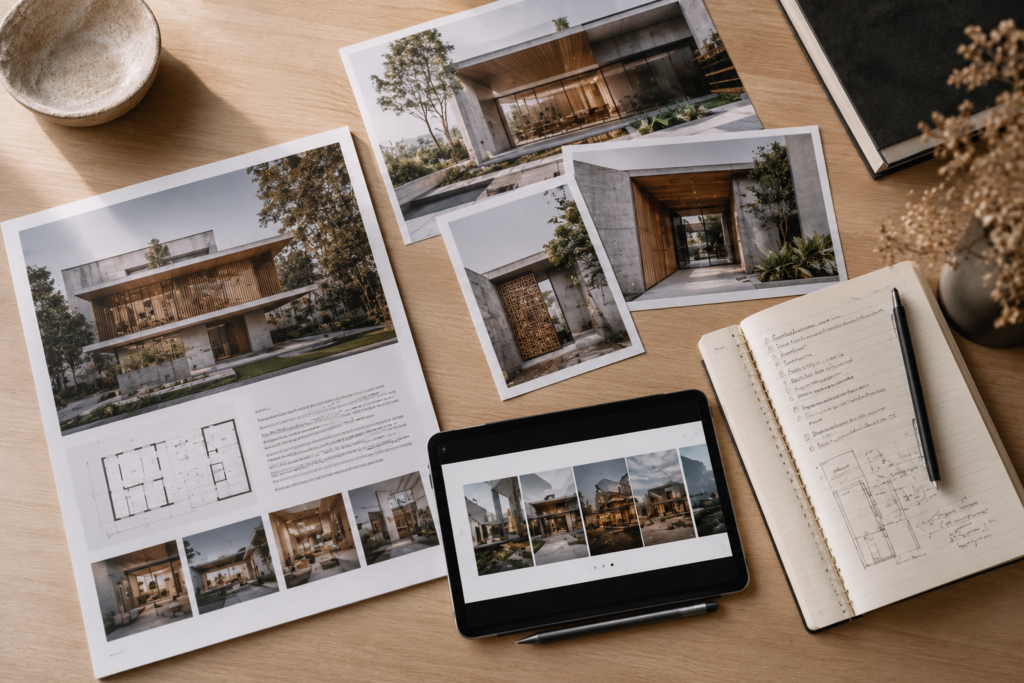
The best case study material, a clever detail, a client’s reaction, a before-and-after photo, gets generated during the project, not after it. Build a habit of saving three things at key milestones: one photo, one sentence describing the challenge solved, and one sentence describing the result. This small habit turns a finished project into a near-complete case study draft.
✅ TIP — Quick win
At your next project milestone, save one photo and write two sentences about it immediately. This single habit builds your case study library passively.
8.2 Building a Repeatable Case Study Template
A consistent case study format, challenge, approach, solution, outcome, makes writing faster every time because you are filling in a known structure rather than starting from a blank page. It also makes your portfolio more professional, since readers quickly learn how to navigate your work.
💡 CALLOUT — Why this matters
A repeatable case study template turns publishing from a dreaded task into a ten-minute task.
8.3 Repurposing One Project Across Multiple Formats
A single well-documented project can become a portfolio entry, a blog article, a set of social media posts and a conference submission, all from the same source material organized once. The system, not extra writing effort, is what unlocks this reuse. Tag your project documentation by potential output format while the project is still active, so repurposing later takes minutes rather than hours.
- Portfolio entry: 4-6 strong images plus a short narrative
- Blog or article: expanded narrative with process detail
- Social carousel: 5-7 key moments distilled to one line each
- Conference or award submission: formal write-up against the required criteria
⚠️ WARNING — Common mistake
Waiting until a project is fully complete to think about publishing usually means key process photos and quotes are already lost.
8.4 Maintaining Publishing Consistency
A publishing calendar, even a simple one with one entry per month, prevents long gaps where your portfolio or social presence goes stale. Architecture audiences respond well to steady, modest output over sporadic bursts of high-effort content followed by months of silence.
9. Common Workflow Mistakes
Most workflow failures in architecture practice follow a small number of recognizable patterns. Recognizing them in your own work is the fastest way to fix them, often faster than building an entirely new system from scratch.
9.1 Tool-Hopping Without a System
Adopting a new productivity app every few months, without a clear system behind it, creates more disorganization, not less. Information ends up scattered across five tools instead of one. Before adopting any new tool, define what system gap it actually fills. If you cannot name the gap, the tool is unlikely to help.
⚠️ WARNING — Common mistake
If you have switched note-taking apps more than twice this year, the problem is likely the missing system, not the app.
9.2 No Single Source of Truth
When the “real” version of a drawing, schedule or decision could be in three different places, depending on who you ask, teams waste time reconciling conflicting versions. Every project needs one agreed single source of truth for each type of information, even if that means simply agreeing which folder is authoritative.
💡 CALLOUT — Why this matters
A clear single source of truth eliminates an entire category of avoidable project disputes and delays.
9.3 Treating Documentation as an End-of-Project Task
Architects who document only at the end of a project, rather than continuously, lose details that mattered earlier and often have to reconstruct decisions from memory. Documentation that happens in small, regular increments throughout the project is both more accurate and far less painful than a single large effort at the end.
✅ TIP — Pro tip
Block 20 minutes every Friday for documentation, even on quiet weeks. Small, frequent updates beat one large end-of-project write-up.
9.4 Ignoring the Review and Refine Step
A system built once and never revisited slowly drifts out of sync with how you actually work. A short quarterly review, what is working, what is being skipped, what needs adjusting, keeps your workflow system alive rather than becoming an ignored set of rules from a year ago.
- Tool-hopping without identifying the underlying gap
- No agreed single source of truth per project
- Documentation deferred to project end instead of done continuously
- No regular review of whether the system still fits your workload
10. Building Your Personal Operating System
The final step is connecting every system covered so far, capture, research, design, documentation, communication and publishing, into one personal operating system you can run every week without much thought. This is less about more tools and more about a rhythm that fits how you actually work.
10.1 The Weekly Operating Rhythm
Most sustainable architecture workflows run on a weekly cycle: a short planning session at the start of the week, focused work blocks for design and documentation through the middle, and a review and capture-clearing session at the end. This rhythm matches how project deadlines, client availability and your own energy naturally move through a week.
💡 CALLOUT — Why this matters
A weekly rhythm turns workflow systems from a one-time project into a sustainable habit that compounds over years of practice.
10.2 Designing Your Second Brain
A “second brain” is simply an external, organized system, notes app, folder structure, reference library, that holds information so your working memory does not have to. The specific tool matters less than the principle: capture quickly, organize during a regular review, and retrieve through clear tags or folders rather than by searching your memory for where you put something.
10.3 Scaling Your System as You Grow
A system built for a solo practice needs adjustment as you take on collaborators, employees or a larger client base. The core structure, capture, research, design, documentation, communication, publishing, stays the same, but ownership of each layer needs to be assigned clearly once more than one person is involved, so the system does not quietly collapse into informal habits again.
✅ TIP — Pro tip
Assign clear ownership for each workflow layer the moment a second person joins your practice, even informally.
10.4 Your Personal Workflow Audit
Before finishing this guide, take ten minutes to honestly rate each of the six workflow layers in your own practice from one to five. This single exercise, repeated every few months, is the fastest way to see exactly where your system needs attention next, rather than guessing.
⚠️ WARNING — Critical caution
Do not wait for the ‘perfect’ system before starting. An imperfect system you actually use outperforms a perfect system that stays in a planning document.
10.5 Committing to the System
A workflow system only works if you actually run it. The architects who benefit most from systems thinking are not the ones with the most elaborate setup, but the ones who consistently run a simple system every single week. Start with the smallest version of each layer that you will actually maintain, then expand gradually as the habit solidifies.
Frameworks & Tools Referenced in This Guide
These four frameworks are referenced throughout the article above. Full printable versions are included in the downloadable Architecture Workflow Templates resource.
The Architect Productivity Stack
A reference model for which type of tool belongs to each workflow layer. Use it to identify gaps in your own stack, not as a list of specific products to buy.
| Layer | Purpose | Example Tools |
| Capture | Catch ideas, notes and references the moment they appear | Notes app, voice memo app, physical notebook |
| Research | Store and tag code references, precedents and climate data | Tagged note database, cloud folder with consistent naming |
| Design | Move concepts through sketch, BIM and rendering stages | Sketch app, BIM software, rendering engine |
| Documentation | Record drawings, specifications and approvals | CAD/BIM platform, specification master template, file archive |
| Communication | Coordinate with clients, consultants and contractors | Email, project management platform, shared cloud folder |
| Publishing | Turn finished projects into case studies and content | Portfolio site, case study template, social content calendar |
Workflow Audit Matrix
Rate each layer of your current workflow from 1 (barely exists) to 5 (fully systematized and consistently used). Revisit this every few months.
| Layer | Self-Audit Question |
| Information Capture | Do all notes and references land in one trusted place? |
| Research | Can you find a past code or precedent note in under two minutes? |
| Design Workflow | Does every project follow the same folder and naming structure? |
| Documentation | Are decisions and approvals recorded the same day they happen? |
| Communication | Do clients and consultants receive predictable, structured updates? |
| Publishing | Is case study material captured during the project, not after? |
The Second Brain Framework for Architects
A simple four-step cycle for turning scattered information into a reliable external memory system.
| Step | What Happens |
| 1. Capture | Send every note, image and reference to one inbox, without sorting yet. |
| 2. Tag | During a weekly review, add project, topic and climate tags to new items. |
| 3. Organize | Move tagged items into the right project folder or research library. |
| 4. Retrieve | Search by tag, not by memory, whenever you need the information again. |
Weekly Operating System Dashboard
A simple weekly structure that connects all six workflow layers into one repeatable rhythm.
| When | Focus |
| Monday | Plan the week, review open decisions and client updates due |
| Tuesday – Thursday | Focused design, documentation and research work blocks |
| Friday morning | Send client and consultant updates |
| Friday afternoon | Clear capture inbox, tag research, log key decisions |
30-Day Action Plan
Week 1: Organize Information Capture
- Choose one app or notebook as your single capture inbox
- Move existing scattered notes into the new inbox
- Set a recurring 15-minute weekly review on your calendar
- Create a simple tagging system: project name, topic, climate zone
Week 2: Build Research Systems
- Create folders or tags for your most-used code categories
- Start a precedent study template and fill in three past projects
- Organize one research folder by climate zone
- Test one AI research tool on a low-risk summarization task
Week 3: Create Documentation Workflows
- Set up a stage-based folder template for your next project
- Write your file-naming convention down and apply it consistently
- Build or update your master specification document
- Start a one-line decision log for your current active project
Week 4: Build a Repeatable Operating System
- Complete the Workflow Audit Matrix for all six layers
- Set your weekly operating rhythm using the dashboard template
- Schedule your first quarterly system review three months out
- Capture one case-study-ready moment from a current project
| AI Image Prompt — Before FAQ Section A photorealistic wide shot of a small architecture studio team of three gathered around a table reviewing a printed weekly operating dashboard and project timeline, large window with soft daylight, laptops and coffee cups on the table, collaborative and calm atmosphere, architectural photography style, natural color grading, no visible logos or readable text. |

Key Takeaways
An architecture workflow toolkit covers six layers: capture, research, design, documentation, communication and publishing.
A single capture inbox, checked weekly, prevents ideas and client details from disappearing.
Tagging research by climate zone and topic makes it reusable across many future projects.
Stage-based folders and clear file naming remove version confusion from the design process.
AI tools save real time on low-risk tasks but always need human verification for code and safety items.
Documenting continuously, not at project end, produces more accurate and less painful records.
Publishable case study material should be captured during the project, not reconstructed afterward.
A weekly operating rhythm turns all six systems into one sustainable personal operating system.
Frequently Asked Questions
1. What is an architecture workflow toolkit?
An architecture workflow toolkit is a connected set of systems that organizes how an architect captures information, researches codes and precedents, manages the design process, documents decisions, communicates with stakeholders and publishes finished work. It is a structure, not a single app, built from habits and tools that work together.
2. Do I need expensive software to build a workflow system?
No. Most of the value in a workflow system comes from consistent structure, naming conventions, folder organization, a single capture inbox, rather than from specific paid tools. Many architects build effective systems using free or low-cost apps they already have, then upgrade tools only once the underlying system is clear.
3. How long does it take to build a complete workflow system?
Most architects can set up the basic structure for all six layers in a single weekend, but refining the system to genuinely fit your working style takes a few months of regular use and adjustment. The 30-day action plan in this guide breaks the process into manageable weekly stages.
4. Is AI safe to use for architecture documentation?
AI tools are useful for low-risk drafting tasks like summarizing meetings or generating early design language, but any output touching code compliance, structural information or safety requirements should always be verified against official sources by a qualified professional before it is used in construction documents.
5. How do solo architects manage all six workflow layers alone?
Solo architects typically succeed by keeping each layer as simple as possible, one capture inbox, one research tagging system, one folder template, rather than building elaborate systems they cannot maintain alone. A short weekly review session keeps all six layers from drifting out of sync.
6. What is a ‘second brain’ in the context of architecture practice?
A second brain is an external, organized system, such as a notes app or structured folder library, that stores information outside your own memory so you can reliably retrieve it later. For architects, this typically includes research notes, precedent studies, client decisions and reusable templates.
7. How often should I review my workflow system?
A quarterly review works well for most architects: a short session checking which parts of the system are being used consistently, which are being skipped, and what needs to change. This keeps the system aligned with how your workload and practice are actually evolving.
8. Can these systems scale from a solo practice to a larger studio?
Yes. The six core layers, capture, research, design, documentation, communication and publishing, stay the same as a practice grows. What changes is ownership: each layer needs a clearly assigned person once a team is involved, rather than being managed informally by one individual.
Continue Exploring
Go deeper into specific layers of your workflow system with these related ARCNET guides.
→ Digital Tools Every Architect Needs
A practical list of software and apps that support each layer of your workflow system.
→ How to Build a Second Brain for Architects
A deeper guide to building an external knowledge system for research and precedent studies.
→ AI Workflow Systems for Designers
An expanded look at integrating AI tools responsibly into a design practice.
→ AI Tools Every Architect Should Know in 2026
A pillar guide covering the current landscape of AI tools relevant to architecture practice.
→ 50 AI Prompts for Architects
A ready-to-use prompt library for research, drafting and design exploration tasks.
Call To Action
| Build Your Architecture Workflow Toolkit This Week Download the free Architecture Workflow Templates resource and follow the 30-day action plan to put every system in this guide into practice. 📄 Download: Architecture Workflow Templates |
Download: 📄 Architecture Workflow Templates
Continue Learning:
- AI Tools
- 50 AI Prompts
- Second Brain Systems