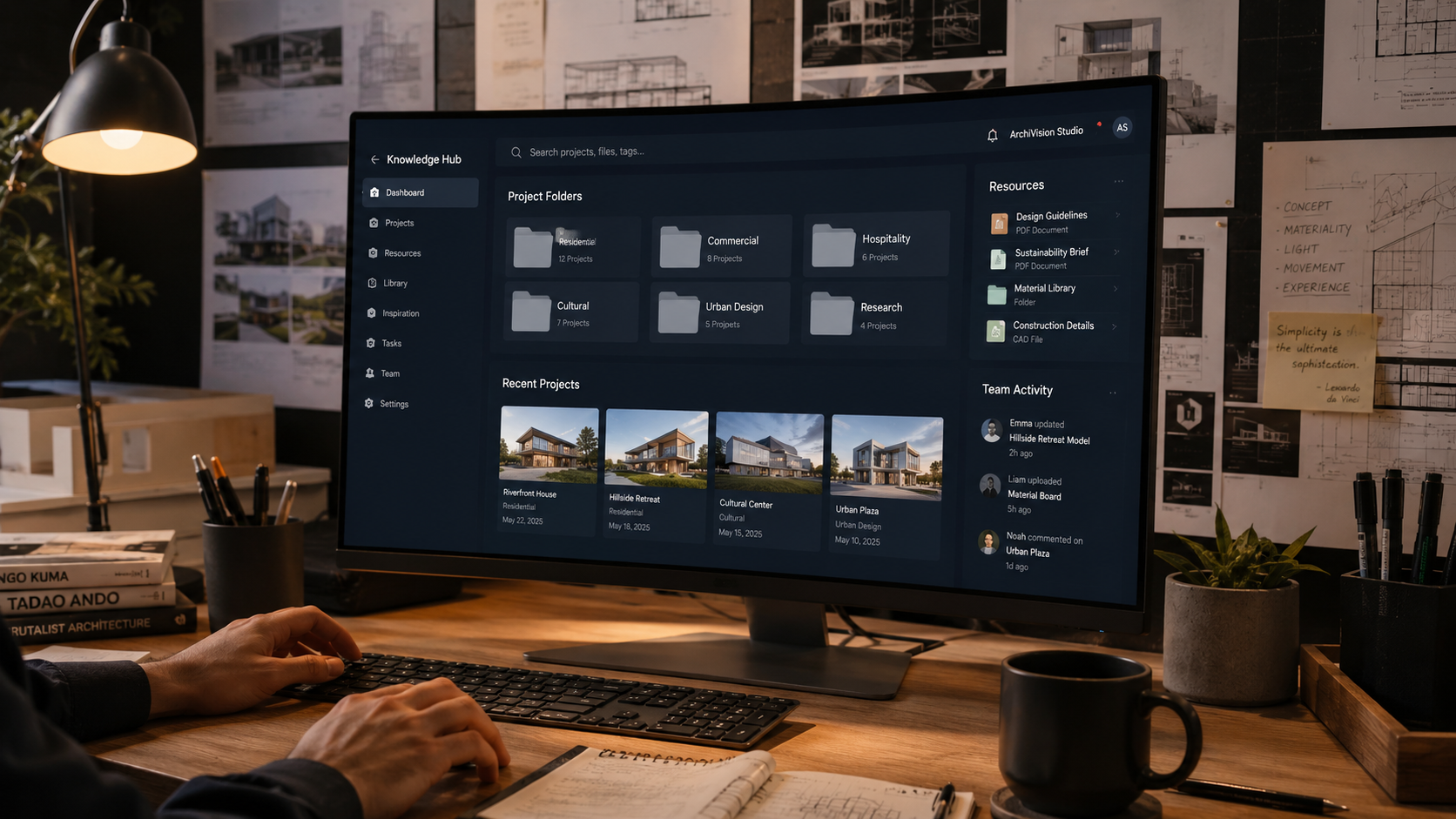
Second Brain for Architects: Organize Your Entire Design Workflow
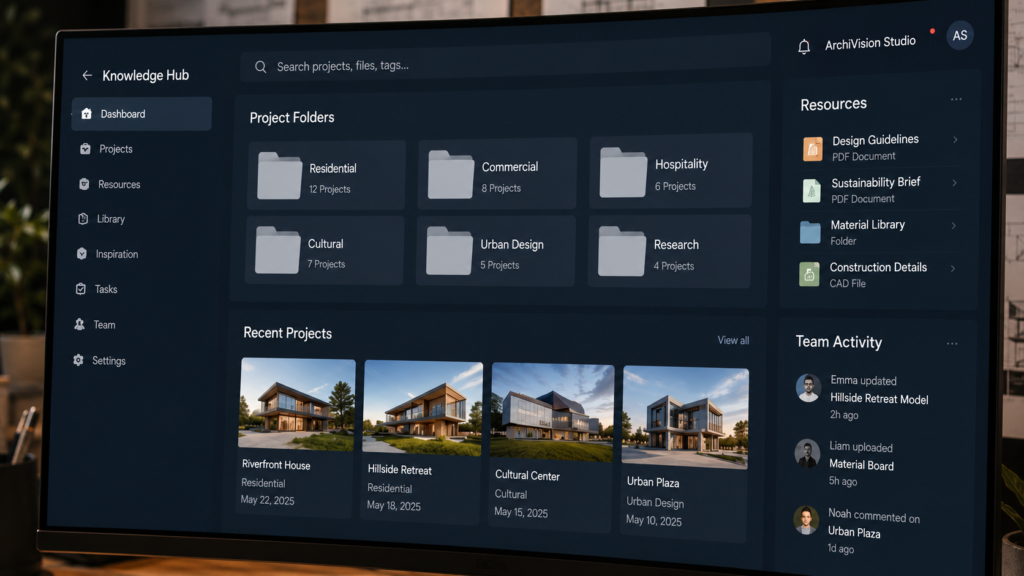
Why This Matters
Architecture is one of the most information-dense professions in the world. Every project combines building codes, material specs, client briefs, site analysis, design references, consultant reports, and hundreds of decisions made over months or years. Most architects store this information across sticky notes, email threads, shared drives, and scattered apps. The result? Lost ideas. Repeated research. Missed opportunities.
A Second Brain for Architects solves this. It is a personal knowledge management system that captures, organises, and makes your professional knowledge instantly retrievable. Whether you are a student juggling studio projects or a senior architect managing multiple commissions, this system will change the way you think and work.
Who Is This Guide For?
🎓
Architecture Students
You are juggling studio crits, theory essays, and reference hunting. This system helps you organise research, save design inspiration, and retain everything you study across five years of education.
🏗️
Practising Architects
You manage multiple live projects simultaneously. This system gives you one trusted place for every project’s knowledge — so nothing falls through the cracks between meetings.
🧠
Design Thinkers & Researchers
You consume vast amounts of built environment knowledge. This system turns scattered reading into a structured, searchable intelligence bank you can draw from for years.
🌏
Global Architecture Professionals
You work across climates, codes, and cultures. This system helps you organise region-specific knowledge — from Indian climate codes to European passive house standards — in one place.
Quick Navigation
| 01 What Is a Second Brain? Section 1 — Learn the core concept and why architects need a personal knowledge system more than almost any other profession. | 02 The PARA Method for Architects Section 2 — Discover the four-folder framework that organises everything from live projects to timeless reference material. |
| 03 Your Weekly Capture System Section 3 — Build a simple weekly routine that stops great ideas from disappearing between client meetings and site visits. | 04 The Knowledge Dashboard Section 4 — Set up a single control panel that shows you everything you need in one glance — projects, tasks, references, and reviews. |
| 05 Information Organisation Matrix Section 5 — Learn how to classify and tag every piece of information so you can find anything in seconds, not minutes. | 06 Tools and Digital Setup Section 6 — Explore the best apps and platforms for building your Second Brain — with options for every budget and workflow style. |
Quick Wins Checklist
Before diving into the full system, complete these five actions today:
| Choose one note-taking app (Notion, Obsidian, or Apple Notes) and commit to it for 30 days. |
| Create four folders: Projects, Areas, Resources, Archive (the PARA framework). |
| Spend 15 minutes moving your most recent project files into the Projects folder. |
| Set a weekly 30-minute ‘capture review’ in your calendar every Friday. |
| Save three design references you have been meaning to organise and tag them properly. |
01 What Is a Second Brain — and Why Architects Need One
The Problem: Architecture Is an Information Overload Profession
A single residential project in India can generate over 500 documents — structural drawings, vastu briefs, contractor quotes, client WhatsApp messages, material samples, and municipal approval paperwork. A commercial project in Dubai or Singapore multiplies this tenfold. Architects do not have an ideas problem — they have a retrieval problem. The best idea you ever had is worthless if you cannot find it when you need it.
💡 What Research Shows
A 2022 McKinsey study found knowledge workers spend an average of 19% of their workweek searching for information they already have. For architects managing multiple projects, this translates to nearly one full working day lost every week.
Defining the Second Brain
The concept was developed by productivity author Tiago Forte. Your Second Brain is a digital system — outside your biological mind — that stores, organises, and surfaces information exactly when you need it. It uses four principles: Capture, Organise, Distill, and Express (CODE). For architects, this means capturing every site observation, organising it into a project-ready structure, distilling key insights, and expressing them as built work.
✅ TIP: Start Before You Are Ready
Do not wait until you have the perfect system. Open one note-taking app today. Create four folders. Begin. The system will evolve with you.
Why Architects Specifically Benefit
Architecture demands synthesis across disciplines — engineering, art, sociology, climate science, regulation, and economics. Unlike most professions, your knowledge compounds across decades. A detail you learned on a 2015 housing project in Chennai could solve a problem in a 2026 school in Nairobi. A Second Brain makes your career’s entire knowledge instantly accessible — your own professional intelligence network.
Global Examples of Knowledge Systems in Practice
Norman Foster’s office is famous for its systematic project documentation. Tadao Ando sketches obsessively and archives every drawing. Balkrishna Doshi kept detailed notebooks across six decades of practice. These architects instinctively built Second Brains before the digital tools existed. You now have apps that do this automatically — the only question is whether you use them.
⚠️ WARNING: The Danger of ‘I’ll Remember It’
Studies on memory show that we forget 50% of new information within one hour without active capture. In architecture, that forgotten detail from a site visit or a brilliant idea from a design charrette is real cost — both creative and financial.
02 The PARA Method for Architects
What Is PARA?
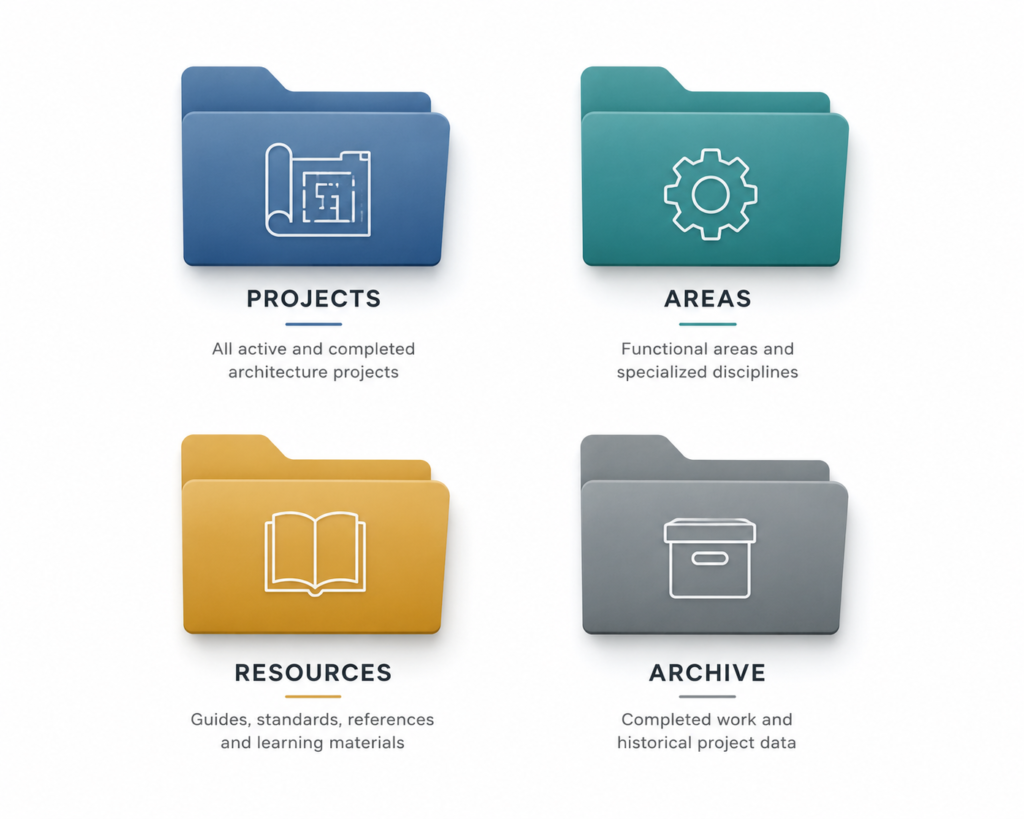
PARA stands for Projects, Areas, Resources, and Archive. It is the organisational spine of any Second Brain. For architects, it translates directly into how you work: active projects, ongoing professional responsibilities, reference material, and completed or inactive work.
P — Projects: Your Active Work
A Project has a clear outcome and a deadline. In architecture, every live commission is a Project. Structure each Project folder to mirror your workflow stage: Brief → Schematic → Design Development → Construction Documents → Site Supervision → Handover. Within each stage, sub-folders hold drawings, correspondence, consultant reports, and site photos.
Example: An architect in Mumbai managing four residential projects creates four Project folders. Each folder contains a ‘Current Sprint’ subfolder (this week’s tasks), a ‘Client Comms’ subfolder, and a ‘Drawing Log’ that tracks every drawing version by date.
| 💡 PARA Framework for Architects |
| P — Projects: Active commissions with deadlines (residential, commercial, interiors, urban) |
| A — Areas: Ongoing responsibilities without deadlines (practice management, CPD, studio culture) |
| R — Resources: Reference material by topic (materials, codes, climate, typology, inspiration) |
| A — Archive: Completed projects, resolved research, and superseded references |
A — Areas: Your Ongoing Responsibilities
Areas are standards you maintain over time — they do not have a finish line. For an architect, Areas might include: Business Development, Staff Management, CPD Learning, Building Codes by Region, and Sustainability Practice. An architect in Singapore might maintain an Area folder for Green Mark certification requirements. An architect in the Middle East maintains an Area for civil authority submission protocols.
✅ TIP: Review Areas Monthly
Unlike Projects (reviewed weekly), Areas should be reviewed monthly. Ask: ‘Is this Area folder still active? Does it need updating? Has new regulation superseded old files?’
R — Resources: Your Reference Library
Resources are topic-based reference folders that are not tied to any single project. This is where your inspiration library lives. Structure by theme: Climate & Passive Design, Material Studies, Structural Systems, Typology Research (Housing, Schools, Healthcare), Regional Architecture (South Asian vernacular, Scandinavian modernism), and Codes & Standards. Every piece of research or inspiration you save goes here, tagged and searchable.
A — Archive: Your Institutional Memory
When a project is complete, move its folder to Archive. Do not delete. Completed projects become the raw material for future proposals, award submissions, and portfolio updates. Firms in Australia and the UK have won major public commissions by quickly producing evidence from archived projects. Your Archive is a competitive advantage.
03 Your Weekly Capture System
Why Capture Is the Foundation
The most sophisticated organisational system in the world fails if you do not consistently add information to it. Capture is the daily discipline that feeds the Second Brain. For architects, capture moments happen everywhere: on site, in client meetings, during material supplier visits, at conferences, on Instagram, and in the middle of the night when a design solution suddenly becomes clear.
The Five Capture Channels
Build these five capture channels into your daily workflow:
- Quick Note Inbox: A single, frictionless place for raw ideas. Voice memos, typed notes, photos. No organisation required — just capture first.
- Site Visit Log: A templated mobile note for every site visit. Fields: Date, Weather, Key Observations, Issues, Photos, Next Actions.
- Client Meeting Note: One page per meeting. Decisions made, open items, follow-ups, and files attached.
- Reading Highlights: A system for saving key ideas from books, articles, and research papers with source attribution.
- Inspiration Queue: A visual folder or Pinterest-style board for architectural images, material samples, and precedent projects.
⚠️ WARNING: Do Not Organise During Capture
The biggest mistake in any knowledge system is trying to perfectly file information the moment you capture it. Capture first. Organise later — at your weekly review. Trying to do both simultaneously breaks the capture habit.
The Friday Review Ritual — 30 Minutes
Set a recurring 30-minute calendar block every Friday. The goal: zero inbox. Process every captured item from the week into the right PARA folder. This weekly ritual is what separates architects who have a Second Brain from architects who have a well-intentioned mess of folders.
The 30-Minute Friday Review Agenda:
- Empty the Quick Note Inbox — file or delete every item (10 minutes)
- Review active Projects — update status, add new files, check next actions (10 minutes)
- Process any saved articles, images, or links into Resources (5 minutes)
- Brief scan of Areas for any updates needed (5 minutes)
💡 The 2-Minute Rule Inside Capture
When processing your inbox, if an item takes less than 2 minutes to action — reply, file, delete — do it immediately. Do not defer small decisions that slow everything down.
Capture Tools That Work for Architects
Mobile capture: Apple Notes or Google Keep for voice and quick text. Photography: your phone camera with auto-upload to a designated folder. Reading: Readwise, Matter, or Instapaper for article highlights. Web clipping: Notion Web Clipper or Obsidian’s browser extension. The rule: use what you will actually use, not what looks impressive in a productivity video.
04 The Architect Knowledge Dashboard
What Is a Knowledge Dashboard?
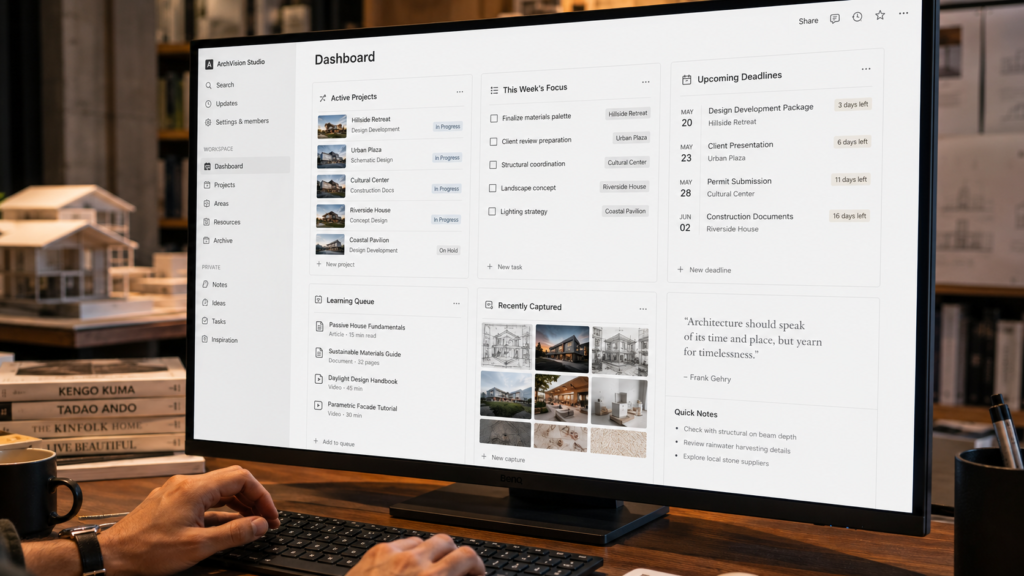
Your Knowledge Dashboard is the control panel of your Second Brain. It is a single page — or screen — that shows you the current state of your entire professional world in one glance. Think of it as the ‘home screen’ of your architectural practice. Every time you open your Second Brain, this is where you start.
The Five Panels of the Architect Dashboard
Panel 1 — Active Projects Summary
A table showing every live commission: Project Name, Client, Stage (Schematic / DD / CD / Site), Key Deadline, and RAG status (Red / Amber / Green). One row per project. Sorted by deadline. Updated every Friday.
✅ TIP: Keep the Dashboard Honest
A dashboard that shows everything as ‘Green’ is not honest — it is decorative. Red and Amber statuses are not failures; they are early warnings that allow you to respond before a deadline becomes a crisis.
Panel 2 — This Week’s Focus
Three to five priority tasks for the current week. Not a full to-do list — just the three things that matter most. Research shows that humans perform best when focusing on a small number of clear priorities. For architects managing complex projects, this panel is a daily anchor.
Panel 3 — Upcoming Deadlines
A rolling two-week view of every deadline: council submissions, client reviews, consultant coordination, tender closings. This panel prevents the ‘I forgot the submission was today’ crisis that every architect has experienced at least once.
Panel 4 — Learning Queue
A short list of articles, books, or courses you are currently working through. This keeps your professional development visible and intentional. Architects in Europe often use this panel to track CPD credits required by professional bodies such as the RIBA or Architects Registration Board.
Panel 5 — Recently Captured
A live feed of the last five to ten items added to your Quick Note Inbox. This ensures nothing sits unprocessed for too long and keeps your capture habit visible.
Dashboard Tools and Setup
Notion is the most popular dashboard tool for architects due to its database features, visual organisation, and cross-device sync. Obsidian suits architects who prefer local, private storage with powerful linking. For teams, a shared Notion workspace with individual dashboards embedded in a team overview works exceptionally well. Firms in Australia, Singapore, and India are already using these setups in studio environments.
⚠️ WARNING: A Dashboard Is Not a To-Do List App
Your Knowledge Dashboard is for visibility and orientation — not for detailed task management. Keep granular tasks in a dedicated tool (Todoist, Linear, or even a physical notebook) and surface only the top priorities on the Dashboard.
Reviewing the Dashboard Daily
Open your Dashboard first thing every morning before email. Spend three minutes scanning all five panels. This three-minute morning orientation replaces 30 minutes of reactive email-driven panic. Your most productive architects globally — from Kochi to Copenhagen — all share one habit: they start the day with a system, not an inbox.
05 The Information Organisation Matrix
Why Tagging Alone Is Not Enough
Most architects who try knowledge management systems give up at the tagging stage. They create dozens of tags, spend hours debating whether a sustainability article belongs under ‘Passive Design’ or ‘Green Materials’, and eventually abandon the system altogether. The Information Organisation Matrix replaces this with a simple, decision-free framework.
| 💡 The Four-Question Matrix |
| When you save any piece of information, answer these four questions: |
| 1. Is this related to a live Project? → File it in Projects/[Project Name] |
| 2. Is this an ongoing standard I maintain? → File it in Areas/[Area Name] |
| 3. Is this general reference material? → File it in Resources/[Topic] |
| 4. Is this no longer active? → File it in Archive |
Tagging Architecture: Less Is More
Limit yourself to a maximum of three tags per item. Use tags for: Content Type (Article, Drawing, Code, Specification, Inspiration), Climate Zone (Hot-Humid, Hot-Dry, Temperate, Cold) for climate-responsive design references, and Scale (Room, Building, Urban) for typological references. This three-tag system covers 95% of architectural knowledge without overwhelming complexity.
✅ TIP: Use Consistent Naming Conventions
Always name project folders with: YEAR-ProjectCode-ClientName (e.g. 2026-RES-004-Sharma). Always name drawing files with: DrawingType-RevisionNumber-Date (e.g. GA-Floor-R03-260610). Consistent naming makes your Archive searchable five years from now.
The Information Organisation Matrix — Full Version
| Information Type | Where It Lives | Tag 1 | Review Cycle |
| Client Brief | Projects | Document | Per Meeting |
| Site Photographs | Projects | Image | Per Site Visit |
| Building Codes | Areas | Code | Annually |
| Climate Research | Resources | Article | Quarterly |
| Design Inspiration | Resources | Inspiration | Weekly Capture |
| CPD Certificates | Areas | Certificate | Annually |
| Completed Drawings | Archive | Drawing | Post-Handover |
| Supplier Specs | Resources | Specification | Quarterly |
Building Your Personal Index
As your Second Brain grows, build a Personal Index — a single note that maps your entire system. List every Area and Resource folder with a one-sentence description of what it contains. This Index becomes your roadmap when you cannot remember exactly where something lives. Review and update it quarterly. Architects who use this technique report dramatically faster retrieval times as their knowledge base grows into the hundreds of notes.
⚠️ WARNING: Avoid Folder Proliferation
Creating too many folders is as bad as having no folders. If you have more than 10 folders inside Resources, consolidate. Every extra folder is a decision you have to make every time you save something. Simplicity is a feature, not a limitation.
06 Tools and Digital Setup for Architects
Choosing the Right Platform
The most important rule in choosing a Second Brain tool is this: use the tool that reduces friction, not the tool that impresses other architects. A system you use imperfectly every day will outperform a perfect system you open once a week.
| 💡 Three Tool Tiers for Architects |
| Tier 1 — Simple Start (free): Notion (free tier) + Apple Notes. Best for students and early-career architects. Zero cost, low learning curve. |
| Tier 2 — Professional Setup (mid cost): Notion Pro + Readwise + Linear (tasks). Best for practising architects managing 2–10 projects. |
| Tier 3 — Power User (premium): Obsidian + Readwise + Linear + Figma (for visual knowledge mapping). Best for research-heavy practices or academics. |
Notion for Architects: Setup Guide
Notion is the most versatile Second Brain tool for architects. Create four top-level pages — one for each PARA category. Inside Projects, create a Notion database with properties: Status, Client, Stage, Deadline, and Lead Architect. This database becomes your live project tracker. Use Gallery View for visual project overviews. Use Table View for deadline management.
✅ TIP: Notion Template Shortcut
Do not build your Notion workspace from scratch. Start with a free architecture-specific Notion template (search ‘Notion architecture template’ on Notion’s template gallery). Then customise the PARA structure on top of the existing layout.
Obsidian for Research-Heavy Architects
Obsidian stores everything as plain text Markdown files on your local device — no cloud dependency, no subscription required. This appeals to architects working in regions with data privacy concerns or unreliable internet. Its graph view visually maps connections between notes — showing you how a material research note connects to three different live projects. Firms in Germany and the Netherlands have adopted Obsidian for research because of its powerful local search and linking features.
Climate-Responsive Knowledge Organisation
Architects working across multiple climate zones — common in South Asia, the Middle East, and Southeast Asia — should create dedicated Resource subfolders by climate type. A firm in Chennai managing projects across hot-humid Kerala, arid Rajasthan, and temperate Himachal Pradesh needs separate reference libraries for each climate. Tag every climate-related resource with: #hot-humid, #hot-dry, #temperate, or #cold. Over time, these tagged resource collections become your firm’s proprietary climate intelligence.
⚠️ WARNING: Do Not Switch Tools Too Often
Tool switching is the death of any productivity system. If you decide on Notion, commit to it for at least three months before evaluating alternatives. Every migration costs more time than it saves. The habit is more important than the platform.

Your 30-Day Action Plan
Build your Second Brain step by step over one month. No overwhelm. No perfection required — just consistent progress.
| Week 1 Days 1–7 Foundation | Phase: Foundation |
| Day 1: Choose your tool (Notion recommended for most architects). | |
| Day 2: Create your PARA folder structure — Projects, Areas, Resources, Archive. | |
| Day 3: Move all active project files into the Projects folder. | |
| Day 4–5: Create your Inspiration Queue inside Resources. | |
| Day 6: Set up your Quick Note Inbox (mobile + desktop). | |
| Day 7: First Friday Review — process everything captured this week. |
| Week 2 Days 8–14 Dashboard | Phase: Dashboard |
| Day 8: Create your Knowledge Dashboard page. | |
| Day 9: Build the Active Projects panel — one row per live commission. | |
| Day 10: Add the This Week’s Focus panel — identify three priorities. | |
| Day 11: Add the Upcoming Deadlines panel — populate next two weeks. | |
| Day 12–13: Add Learning Queue and Recently Captured panels. | |
| Day 14: Second Friday Review — refine the Dashboard based on what worked. |
| Week 3 Days 15–21 Capture Habit | Phase: Capture Habit |
| Day 15: Set up your Site Visit Log template on mobile. | |
| Day 16: Set up your Client Meeting Note template. | |
| Day 17: Configure a reading highlights tool (Readwise or Matter). | |
| Day 18–20: Practice daily capture — at least three items per day. | |
| Day 21: Third Friday Review — evaluate which capture channels you actually used. |
| Week 4 Days 22–30 Organisation & Index | Phase: Organisation & Index |
| Day 22–24: Tag all Resources using the three-tag system (Content Type, Climate, Scale). | |
| Day 25: Build your Personal Index — list every folder with a one-sentence description. | |
| Day 26–28: Move any completed project files to Archive. | |
| Day 29: Set up your monthly Area review reminder. | |
| Day 30: Full system review — what is working? What needs adjustment? Celebrate progress. |
Frequently Asked Questions
| Q: What is the best tool to build a Second Brain for Architects? |
| Notion is the most popular choice for architects because it combines databases, dashboards, and visual organisation in one platform with a generous free tier. Obsidian is better for research-heavy professionals who prefer local storage and powerful note linking. For students on a tight budget, Apple Notes combined with a disciplined PARA folder structure works well as a starting point. |
| Q: How long does it take to set up a Second Brain for Architects? |
| Your basic system — four PARA folders, a dashboard, and a capture inbox — takes less than three hours to set up. The first 30 days are about building the daily capture habit. After 90 days, most architects report that the system feels natural and begins saving them meaningful time each week. |
| Q: Can I use a Second Brain system with my architecture studio team? |
| Yes. Notion’s shared workspaces make team Second Brains very practical. Create a shared team workspace with a master Project database, and let each team member maintain their personal PARA structure within it. Set clear naming conventions and a shared tagging taxonomy before onboarding the team. Studios in India, Singapore, and the UK are already running on shared Notion workspaces. |
| Q: How does the PARA Method work for an architecture student? |
| For students, Projects are your studio assignments and thesis work. Areas are your academic responsibilities — crits, seminars, portfolio. Resources are your theory readings, design references, and precedent studies. Archive holds completed studio work. Start with just the Projects and Resources folders. Add Areas and Archive as your system grows. |
| Q: What happens to my Second Brain when I change firms or go independent? |
| Your Second Brain belongs to you, not your employer. Store everything in a personal account (not a company account). When you move firms, your Resources, completed project references, and personal learning stays with you. This is one of the most valuable benefits of building a personal knowledge system — it compounds with you throughout your entire career, not just within one firm. |
Key Takeaways
| ✓ A Second Brain for Architects is not a filing system — it is a thinking partner that makes your knowledge work harder. |
| ✓ The PARA Method (Projects, Areas, Resources, Archive) gives architecture knowledge a clear four-folder structure. |
| ✓ A weekly 30-minute capture routine prevents knowledge loss between meetings, site visits, and studio sessions. |
| ✓ Your Knowledge Dashboard is a single screen that shows every active project, task, and reference in one glance. |
| ✓ Consistent tagging and the Information Organisation Matrix let you retrieve any detail in seconds. |
| ✓ The right tool is the one you use. Start simple, then layer complexity as the habit forms. |
Continue Exploring
| 📐 Architect’s Productivity System Build a complete weekly planning system around your Second Brain. Manage time, projects, and deep work blocks. | 🌿 Climate-Responsive Design Library Build a Resources library specific to your climate zone — from monsoon details to passive cooling strategies. |
| 📚 Architecture Research Workflow Learn how to read, highlight, and synthesise academic papers, precedent studies, and technical reports into usable design intelligence. | 🏢 Studio Knowledge Management Scale your personal Second Brain into a studio-wide system — shared templates, project databases, and team capture workflows. |
Ready to Build Your Second Brain?
Download the free Architect Second Brain Workbook and start your system today.